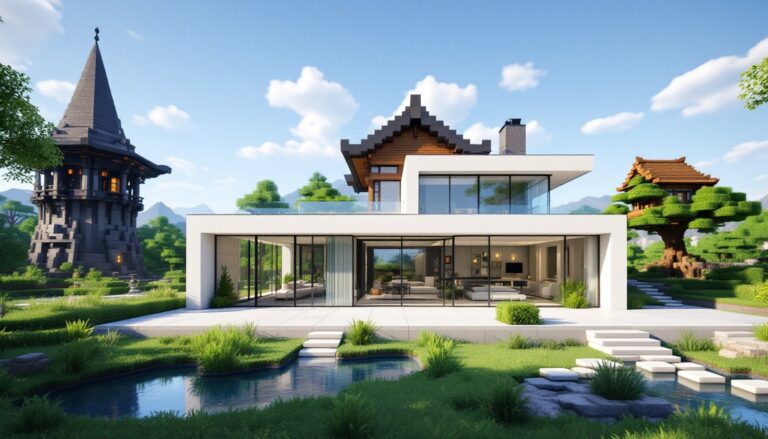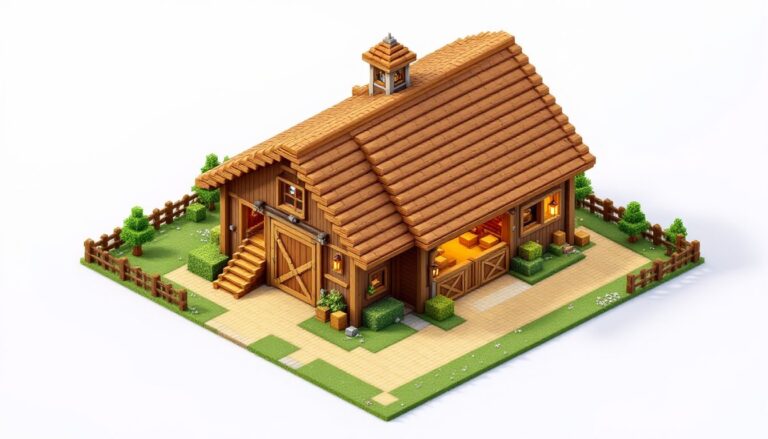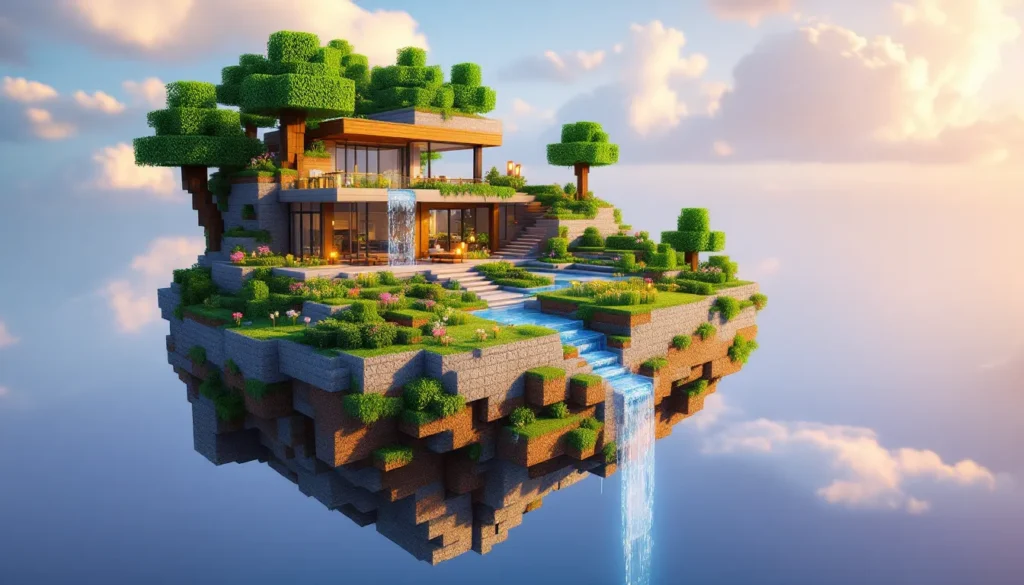
There’s something hypnotic about stumbling onto a chunk of land suspended mid-air in Minecraft, defying gravity with nothing but sky beneath it. Whether it’s a natural terrain quirk or a hand-built masterpiece, floating islands represent one of the game’s most captivating build styles, and they’re more practical than you’d think. Beyond the obvious visual wow-factor, sky bases offer strategic isolation from ground-level threats and a clean slate for creativity.
This guide walks through everything from locating naturally generated floating terrain to constructing your own suspended fortress. Players will learn optimal design techniques, how to maintain resource flow without ground access, and which seeds in 2026 spawn the best minecraft floating island formations right from spawn. By the end, even builders stuck in creative ruts will have actionable blueprints for thriving hundreds of blocks above the Overworld.
Table of Contents
ToggleKey Takeaways
- A floating island in Minecraft offers both aesthetic appeal and tactical advantages, including protection from hostile mobs and natural defense against raids on multiplayer servers.
- Finding or creating a floating island requires careful planning of island size, altitude (Y-180 to Y-200 is optimal), and terrain shape using irregular patterns that mimic natural generation.
- Functional floating island bases depend on reliable access systems like elytra launchers or ender chest teleportation, plus efficient sky-based farms and villager trading halls for self-sufficiency.
- Proper lighting at level 8+ across every surface is essential to prevent mob spawning, and waterfalls cascading into the void create signature visual details that elevate the build.
- Specific 2026-compatible seeds in Shattered Savanna and Windswept Hills biomes can spawn near-floating terrain requiring minimal terraforming to achieve complete aerial isolation.
- Resource bottlenecks like cobblestone and wood require infrastructure solutions such as automatic generators, on-island tree farms, and shulker box logistics to maintain sustainability without ground access.
What Are Floating Islands in Minecraft?
Floating islands are self-contained landmasses suspended in the air with no direct connection to the ground below. They can occur naturally through world generation glitches or be intentionally built by players seeking an elevated base location.
In vanilla Minecraft, true floating islands are rare. Most “floating” terrain players encounter is actually part of mountain overhangs or cliff formations with ground connections somewhere out of view. But, custom world generation settings, modded terrain generators available through platforms like Nexus Mods, and specific seed configurations can produce legitimate sky islands with nothing underneath.
The End dimension is the only place where floating islands are a core environmental feature. End islands spawn naturally across the void, connected by chorus plant forests and shulker-infested End cities. But replicating that aesthetic in the Overworld requires either incredible luck with terrain generation or deliberate construction.
Floating islands in player builds typically range from small personal bases (20×20 blocks) to massive sky kingdoms spanning hundreds of blocks. The defining characteristic is complete aerial isolation, no ladders, scaffolding, or terrain touching the surface below. Access is usually via elytra, ender pearls, or hidden water elevator systems.
Why Build or Find Floating Islands?
Unique Aesthetic and Visual Appeal
Floating islands instantly distinguish a build from the thousands of mountain bases and underground bunkers cluttering multiplayer servers. The juxtaposition of lush terrain against empty sky creates dramatic screenshots and satisfies the same creative itch that drives players to build massive cathedrals or pixel art.
Cascading waterfalls that plunge into the void, hanging gardens with vines dangling into nothingness, and glass floors overlooking cloud layers at Y-level 180, these details are only possible with sky-based construction. The aesthetic also ages well. While ground-level builds get buried in terrain updates or obscured by neighbor construction on crowded servers, floating islands remain visually distinct regardless of what happens below.
Strategic Advantages for Survival and Defense
Beyond looks, elevation offers tangible gameplay benefits. Hostile mobs can’t path to a properly isolated floating island, eliminating the need for perimeter walls or constant torch spam. Creepers, skeletons, and zombies simply don’t spawn at your doorstep when your doorstep is 150 blocks above their spawning range.
Resource security is another perk. On PvP servers, raiding a floating base requires either elytra access (which the defender also has, enabling quick escapes) or elaborate pillar constructions that broadcast the attacker’s location. Compare that to ground bases where anyone can tunnel directly to your storage room.
Floating islands also force better organization. Limited space means players can’t endlessly sprawl their farms and storage systems. The constraint breeds efficiency, every block serves a purpose, and the compact layout reduces time spent running between functional areas.
How to Find Natural Floating Islands in Minecraft
Biomes and Seeds with Floating Islands
As of Minecraft 1.21 (the current version in early 2026), the world generator doesn’t intentionally create floating islands in the Overworld. But, Shattered Savanna and Windswept Gravelly Hills biomes occasionally produce terrain formations that resemble floating islands due to extreme elevation changes and overhang generation.
Seed hunters have documented specific coordinates where terrain bugs or edge-case generation create suspended landmasses. These seeds tend to break with major updates, so 2026-compatible options are listed later in this guide. The key is finding seeds where a plateau generates with an undercut so severe that minimal editing can sever the remaining supports, creating a fully floating structure.
Custom world types like Amplified mode increase the odds of finding near-floating terrain. Amplified worlds push mountains to build height limits and create aggressive overhangs. While not true floating islands, these formations require only 10-20 minutes of block removal to achieve full suspension.
Using Commands to Locate Floating Terrain
For players with command access (creative mode or cheats enabled), the /locate command won’t help, it targets structures, not terrain features. Instead, use /tp with high Y-coordinates to survey large areas quickly.
A faster method involves third-party tools like Chunkbase or Cubiomes Viewer. These seed analyzers render your world’s terrain generation in 2D or 3D, letting you scan thousands of chunks in seconds. Look for dark blue areas (representing air blocks) directly beneath green terrain patches at high elevations. Those mismatches often indicate floating or near-floating formations.
For technical players, structure blocks paired with /clone commands can copy and relocate existing terrain formations to create floating islands without manual building. This method is particularly useful on servers where you want the natural, organic look of generated terrain but in a sky-base configuration.
Building Your Own Floating Island: Step-by-Step Guide
Planning Your Island Design and Size
Before placing a single block, decide on your island’s purpose and scale. A personal survival base might only need 30×30 blocks, enough for a house, small farm, and storage. A creative showcase could span 100×100 or larger, with multiple biomes and structures.
Sketch your layout on graph paper or use a creative test world. Account for these essential zones: living quarters, farms (at minimum, wheat and a few animals), crafting/storage area, and an elytra launch platform. Don’t forget to plan vertical space. Many builders create multi-level islands with hanging structures or underground (under-island?) chambers.
Altitude matters. Building at Y-180 to Y-200 places you well above clouds and ground clutter, but still below build height (Y-320 as of 1.21). This range gives room for tall structures while maintaining that “floating in the sky” visual. Going higher can make the island feel isolated: going lower risks it feeling like just another tall platform.
Constructing the Foundation and Terrain
Start with a temporary pillar from the ground to your desired height using dirt or scaffolding. Scaffolding is faster for ascent but requires bamboo: dirt is universally available but tedious to remove later.
Build your island’s footprint using a durable material like stone or deepslate for the bottom layer, this base won’t be visible from above but shows from below, so avoid dirt or cobblestone. Use WorldEdit on PC (or tedious manual labor) to shape the underside. Most natural-looking islands have irregular, rounded bottoms, not flat squares.
Layer terrain blocks upward: stone for depth, then dirt, then grass or other surface blocks. Vary the thickness, some areas 5 blocks deep, others 10+. This creates natural-looking elevation changes on the surface. Add outcroppings and overhangs by extending blocks beyond the main footprint.
For organic shapes, avoid perfect circles and squares. Real islands have messy coastlines. Place blocks in irregular patterns, add peninsulas, create small detached fragments nearby, and let some edges taper to single-block points.
Adding Structures, Vegetation, and Details
Once the terrain foundation exists, treat it like any building project, but with extra attention to weight distribution (for aesthetic realism, not actual physics). Large stone structures should sit toward the island’s center: lighter builds like wooden houses can perch near edges.
Vegetation sells the realism. Use bone meal to grow grass, flowers, and trees. Azalea trees and birch work well for floating islands due to their lighter canopy. Oak and dark oak feel too heavy unless your island is massive. Scatter leaf blocks manually to create bushy undergrowth between trees.
Water features add life. A small pond (3×3 minimum to be infinite water) provides a water source and reflects the sky beautifully. If you want flowing water, channel it to the edge where it can cascade off into the void, more on that in advanced techniques.
Lighting is critical. Use sea lanterns hidden under paths, lanterns hanging from chains, or jack o’lanterns concealed in leaf piles. Avoid torches everywhere: they break immersion and make night screenshots look cluttered. Many experienced builders shared methods for effective mob-proofing strategies that maintain aesthetic flow.
Essential Features for a Functional Floating Island Base
Access Systems: Ladders, Elytra Launchers, and Bridges
A floating island that’s a pain to reach won’t get used. The classic solution is a vertical ladder or water elevator hidden inside a pillar, but this telegraphs your base location on multiplayer servers.
For late-game players with elytra, install a riptide launcher. Build a vertical tube of water (use soul sand for upward current), swim to the top, and use a Riptide III trident to rocket skyward. Position the launcher to send you directly to landing platforms on your island. This method is fast, relatively hidden (the tube can be disguised as a waterfall or ocean feature), and doesn’t require fireworks.
Alternatively, place ender chests at ground level and on your island. Store ender pearls in them for emergency teleports upward. The downside: pearl damage adds up, and you’ll need a steady supply from Enderman farms.
For servers where you need accessible builds for friends without elytra, compromise with a retractable bridge. Use sticky pistons to extend a pathway from a nearby mountain peak, then retract it when not in use. It’s not perfectly hidden, but it’s more secure than a permanent ladder.
Farms and Resource Production in the Sky
Self-sufficiency requires adapting traditional farms to limited space. Prioritize high-efficiency designs over sprawling fields.
Crop farms: A 9×9 water-centered plot (81 farmland blocks) grows enough wheat, carrots, and potatoes for a small player group. Use observers and dispensers for auto-harvesting if you want to get technical.
Animal farms: Chickens are ideal for sky bases, they require minimal space, breed quickly, and provide food plus eggs for cakes. Two chickens in a 3×3 pen will exponentially populate if you breed consistently. Cows and sheep demand more room: if space is tight, skip them and trade with villagers for leather and wool.
Mob farms: Floating islands at Y-180+ are perfect for mob grinders since caves below won’t compete for mob cap. A basic drop-style farm (dark spawning platform → water channels → 24-block drop → collection hopper) yields steady gunpowder, bones, and arrows. Many detailed mob farm tutorials cover mechanics for optimizing spawn rates in high-altitude builds.
Villager trading halls: Bring villagers up via minecarts in water elevators. Two farmer villagers trading carrots and potatoes will keep your food supply infinite. Librarians provide enchanted books without needing an Overworld enchanting setup.
Advanced Floating Island Building Techniques
Creating Waterfalls and Cascading Effects
Waterfalls are the signature detail that elevate a floating island from “cool” to “holy shit.” The setup is simple: dig a channel on your island, place a water source at the start, and let it flow to the edge. The stream will cascade infinitely downward, disappearing into render distance.
For a multi-tiered waterfall, build stepped platforms below the main island. Water lands on the first tier, flows across, drops to the second tier, and so on. Each tier needs to be far enough below the previous one (at least 8 blocks) to let the waterfall visually separate.
Lava falls create dramatic contrast, especially at night when they glow. Place lava sources the same way as water, but beware of accidentally igniting nearby wood. Use stone or terracotta around lava channels.
Add hidden kelp or sea pickles at waterfall origins for subtle light sources that make the water glow faintly without obvious torches. This detail is gorgeous during sunset or thunderstorms.
Custom Terrain Shaping and Organic Designs
Boxy islands scream “player-made.” Organic shapes require intentional irregularity. Use these techniques:
Layer variation: Don’t make your island one consistent height. Build hills, dig shallow valleys, create a central peak. Real islands have topography.
Block palette mixing: Combine stone, andesite, cobblestone, and gravel in the underside. Add moss blocks and vines dangling off edges. The goal is to mimic natural erosion and growth patterns.
Asymmetry: If you build one large tree on the left side, don’t mirror it on the right. Place a cluster of small shrubs there instead. Asymmetrical design feels accidental (in a good way), which enhances realism.
Fragment islands: Build 2-3 smaller floating chunks near your main island. These don’t need to be functional, just 5×5 platforms with a tree or some grass. They suggest your island is part of a larger archipelago and add depth to screenshots.
For inspiration, study the End’s outer islands. Their irregular shapes, chorus plant distribution, and exposed stone undersides are Mojang’s blueprint for floating terrain. Mimic those design principles with Overworld blocks.
Best Floating Island Seeds for 2026
These seeds are verified for Minecraft Java Edition 1.21 (current as of March 2026). Bedrock Edition world generation differs, so results aren’t guaranteed on console/mobile.
Seed: -4362880265191104221
Coordinates: X: 250, Z: -180
A Shattered Savanna plateau with a massive overhang that requires removing only 15-20 support blocks to create a 40×50 floating island. Spawns near a village at X: 120, Z: 50.
Seed: 8678942899319966093
Coordinates: X: -890, Y: 200, Z: 1120
Windswept Hills biome with a natural arch formation. Breaking the arch creates two separate floating islands. The smaller one (20×25) is perfect for a starter sky base, while the larger landmass below can serve as a resource-gathering zone.
Seed: 1234567890 (yes, really)
Coordinates: X: 600, Z: -300
Amplified world type required. Generates an extreme mountain spike that tapers at the base. Removing the narrow connection point isolates a 35×35 island at Y-220, the highest naturally floating formation documented in 1.21.
Seed: -7707869393518204688
Coordinates: X: -1450, Z: 2100
Ocean monument visible at X: -1400, Z: 2050. The seed’s draw is a mushroom island elevated on a steep cliff. With 30 minutes of terraforming, you can detach it completely, creating a rare floating mushroom biome where no hostile mobs spawn.
Remember that future updates (1.22 and beyond) will alter generation. Archive your world before updating if you want to preserve a specific terrain feature.
Common Challenges and How to Overcome Them
Mob Spawning and Lighting Considerations
Floating islands reduce but don’t eliminate mob spawning. Hostile mobs spawn in any dark area with a light level below 7 (as of 1.21). Since your island is isolated, mobs can’t walk in from outside, but they’ll absolutely spawn on any unlit surface.
Spawn-proof your island completely by ensuring every block has a light level of 8+. Use a combination of:
- Lanterns and sea lanterns for bright, aesthetic lighting
- Jack o’lanterns hidden under carpets or behind trapdoors
- Torches in functional areas like farms and storage rooms
- Glow lichen and froglight blocks for subtle accent lighting
Pay special attention to rooftops, tree canopies, and the undersides of overhangs. Mobs can spawn on any opaque block in darkness, even if it’s upside-down on the underside of your island.
Some builders intentionally leave a small dark zone (like a roofed forest section) to create a controlled spawning area for a mob farm. If you go this route, enclose it with fences or walls to prevent mobs from wandering into your living space.
Resource Gathering Without Ground Access
The biggest practical issue with sky bases is resource bottlenecks. You can’t casually mine for cobblestone or chop wood when your base is 180 blocks above the nearest tree.
Solutions:
Cobblestone generator: Mandatory for any floating base. The classic lava + water setup produces infinite cobblestone. Build it early and connect it to a hopper system for passive collection. A single cobble gen will supply all your stone, stone bricks, and smelting fuel (via stone → lava bucket with dripstone farms).
Tree farm: Plant saplings on your island with adequate space (5×5 clear area for oak, 7×7 for spruce). Keep bone meal stocked from your mob farm. A row of six trees with proper spacing provides enough wood for most building projects.
Villager trades: This is the secret to late-game sky base sustainability. Bring up villagers and establish trading halls for:
- Farmers for food (carrots, potatoes, bread)
- Librarians for enchanted books and glass
- Toolsmiths/Weaponsmiths for diamond gear
- Clerics for ender pearls and redstone
Shulker box logistics: Once you access the End, shulker boxes transform resource gathering. Fill them at ground level, fly back up, unload, return. Each trip transports 27 stacks instead of an inventory’s worth.
For truly massive builds requiring thousands of blocks, consider a secondary ground-level storage facility. Keep bulk materials (dirt, stone, sand) below and only transport processed materials (bricks, concrete, quartz) to your sky base as needed.
Conclusion
Floating islands sit at the intersection of aesthetic ambition and survival practicality. They demand more planning than ground-level bases, resource logistics, lighting discipline, and access systems all require thought. But the payoff is a base that’s visually striking, strategically defensible, and uniquely yours in a game where most builds blend into the landscape.
Whether you’re hunting for the perfect minecraft floating island seed or spending weekends shaping custom terrain by hand, the principles remain the same: plan your space, maintain resource flow, and don’t forget to light every corner. The sky’s no longer the limit, it’s home.