If you’re diving into Minecraft on PC, the seed you choose makes all the difference. A Minecraft seed is essentially the DNA of your world, it’s the number or text that the game’s world generator uses to build terrain, biomes, structures, and everything else you’ll explore. The same seed on the same version always produces the same world, which means you can share incredible worlds with friends or chase specific goals like speedrunning. Whether you’re looking for a survival grind, speedrun challenge, or creative building canvas, understanding seeds is the first step to finding exactly the world you want.
Table of Contents
ToggleKey Takeaways
- A Minecraft PC seed is a number or text that controls world generation, ensuring the same terrain, biomes, and structures appear every time you use an identical seed on the same version.
- Minecraft seeds enable multiplayer collaboration and speedrunning by allowing players to share consistent worlds, and you can check your current world’s seed mid-game using the /seed command in Java Edition.
- Different playstyles demand different seeds: survival players prioritize villages with blacksmiths and nearby strongholds, speedrunners need lava pools and fortresses, while builders seek dramatic landmarks and flat terrain for projects.
- To use a Minecraft seed on PC, simply create a new world and paste or type the seed into the ‘Seed for the world generator’ field—the same process works for Java and Bedrock editions.
- Always verify version compatibility before using online seeds, as biome generation changes between versions mean a 1.19 seed may not replicate the same world in 1.20.
- Community sites like Reddit’s r/minecraftseeds and Game8 curate version-specific seed recommendations to help players find worlds matching their playstyle without wasting time on incompatible options.
What Are Minecraft Seeds and Why They Matter
A Minecraft seed is a number (or text converted to a number) that controls world generation. Think of it like a recipe: same ingredients, same version, same result every time.
Here’s what matters: if you and a friend use the same seed in the same Minecraft version, you’ll spawn in identical terrain with the same biomes, villages, dungeons, and structures in the exact same locations. This is huge for multiplayer survival, sharing epic discoveries, or attempting speedruns with consistent conditions.
Leave the seed blank? The game uses your system time as a seed, creating a unique world every time. That works for casual play, but named seeds let you hunt for specific features, like a mushroom field spawn, a nearby stronghold, or a rare badlands biome.
On Java Edition PC, you can even check your current world’s seed mid-game by opening chat (T) and typing /seed. This is useful if you found an amazing world and want to share it or rebuild it later.
Best Minecraft Seeds for PC: Top Picks Across All Biomes
The “best” seed depends on what you’re after, but certain categories consistently deliver. Multi-biome intersection seeds put plains, desert, savanna, ocean, and forest within short walking distance, ideal for survival players who want variety without constant travel. Rare biome spawns (mushroom fields, ice spikes, badlands) are prized for their uniqueness and building potential.
Seeds with strongholds or ocean monuments near spawn shorten late-game goals. Villages with blacksmiths near your starting point mean quick access to iron armor and tools. Ruined portals and shipwrecks add early-game adventure without major risk.
For curated lists of strong seeds, the community regularly shares discoveries on Reddit’s r/minecraftseeds and specialized seed sites. TwinFinite’s guide to Minecraft 1.20 & 1.19 seeds showcases popular picks with specific coordinates and biome features, making it easy to find seeds that match your playstyle.
Survival and Exploration Seeds
Survival players want spawns near villages with blacksmiths, ruined portals offering quick enchanted gear, or shipwrecks for treasure maps. Easy access to surface lava pools and iron caves matters early on, you need tools and armor fast. A stronghold within 1,000 blocks of spawn shortens the path to the End and final boss fight.
The community constantly discovers and shares these seeds because they compress progression into manageable distances. You’re not walking 5,000 blocks just to find a village or stumbling blind into endgame content.
Speedrun and Challenge Seeds
Speedrunners have different priorities entirely. They need lava pools and villages close together, ruined portals for quick nether access, and a fortress or bastion within reasonable distance of the nether spawn. Fast blaze rod and ender pearl acquisition is critical, every second counts in a race.
Competitive speedrunning has two formats: “set seed” runs using predetermined seeds (where players memorize routes and optimizations), and “random seed” runs where anything goes. Set seed tournaments use seeds tested by the community for balance and achievable times.
Building and Creative Seeds
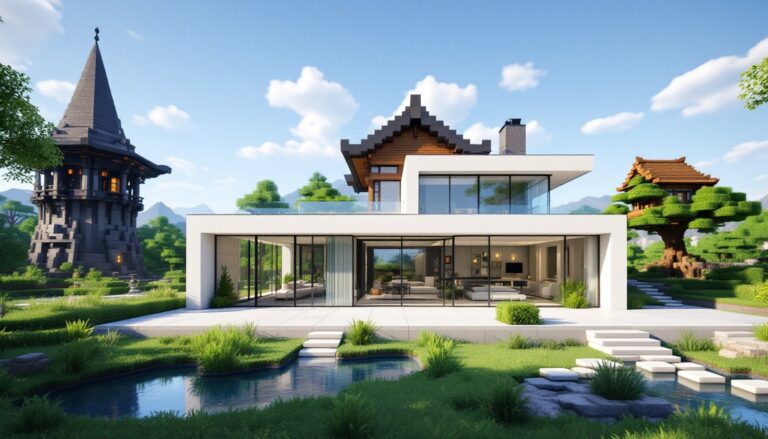
Builders obsess over natural landmarks: dramatic mountain ranges, floating islands, massive cliffs, and wide-open plains for large projects. Caves with interesting shapes, lakes with natural arches, and unusual terrain formations can be integrated into builds instead of terraformed away.
Seeds with multiple distinct biomes near each other give builders more options without constant travel. A flat plains section for your main base next to a forested mountain ridge for additional structures creates visual contrast and structural variety.
How to Use Minecraft Seeds on PC
Using a seed on Java Edition PC is straightforward:
- Launch the game and click “Singleplayer.”
- Create New World and click the “World” button (some older versions call it “More World Options”).
- Paste or type the seed into the “Seed for the world generator” field. You can use numbers or text, both work.
- Adjust other settings as needed (difficulty, game mode, bonus chest).
- Click “Create New World” and spawn into your new world.
If you find a seed online and want to verify it matches, join the world and open chat (T), then type /seed. The game displays the exact seed value.
Bedrock Edition (Windows 10/11) has the same principle but slightly different menus, look for “World” settings instead of a dedicated seed field. The core concept remains identical: same seed, same world.
For Minecraft Launcher versions and newer snapshots, the process is identical. Always confirm you’re using the correct version, a 1.19 seed might not generate the same world in 1.20 due to biome generation changes and new features. Community sites like Game8 provide version-specific seed recommendations so you don’t waste time on incompatible seeds.
Modded worlds are different. If you’re using mods, seeds work within that mod pack’s world generation rules. Mods like OptiFine or performance tweaks don’t change seeds, but content mods absolutely do. Always verify mod compatibility before committing to a seed you found online.
Conclusion
Finding the right Minecraft PC seed is about matching world generation to your goals. Whether you’re grinding survival, speedrunning the game, or building the next architectural masterpiece, seeds let you skip RNG and go straight to worlds built for your playstyle. Share them, search communities, and remember that the “best” seed is always the one that excites you most.