Finding the perfect Minecraft world is half the fun, but searching randomly through seeds wastes hours. A Minecraft seed finder cuts through the noise, letting you preview biomes, structures, and terrain before committing to a world. Whether you’re hunting a spawn point next to a village, chasing the elusive desert temple combo, or planning ambitious minecraft builds, these tools reveal exactly what you’re getting. In 2026, seed finders have become essential for anyone serious about minecraft building or just tired of starting worlds that don’t match their vision.
Table of Contents
ToggleKey Takeaways
- A Minecraft seed finder lets you preview biomes, structures, and terrain before loading a world, transforming world generation from random guessing into intentional planning.
- Web-based tools like Chunkbase, mcseedmap.net, Seeds.gg, and Seeder dominate in 2026, requiring no downloads and supporting multiple editions and versions instantly.
- Filter strategically by specific features—slime chunks, villages, temples, or biome combinations—to narrow results and find seeds matching your exact minecraft building vision.
- Always cross-reference seeds across two different tools before committing in-game to verify structure locations and avoid potential bugs.
- Advanced seed finders support radius-based searches, letting you find villages within 300 blocks of spawn or ocean monuments within 600 blocks for optimized world setup.
What Is a Minecraft Seed Finder and Why You Need One
A seed is just a number, sometimes just eight digits, that tells Minecraft’s terrain generation algorithm exactly how to build your world. Same seed, same world, every time. No randomness involved once you lock in a seed.
A Minecraft seed finder is a tool that lets you preview or search for seeds matching your criteria before generating the world in-game. Instead of loading up a new world, seeing you spawned in the middle of an ocean, and deleting it, you can browse dozens of seeds in seconds and pick one that actually works for you.
They show biomes, villages, ocean monuments, strongholds, slime chunks, and more. Some let you enter a seed you already have and explore it on an interactive map. Others let you filter by features, “show me seeds with a jungle next to a desert”, and hand you a list of matches.
For a Minecraft builder planning something ambitious, or anyone who doesn’t want to waste time, these tools are genuinely indispensable. You see the world layout upfront and decide if it suits your vision.
Top Seed Finder Tools and Platforms for Minecraft
Web-Based Seed Finders
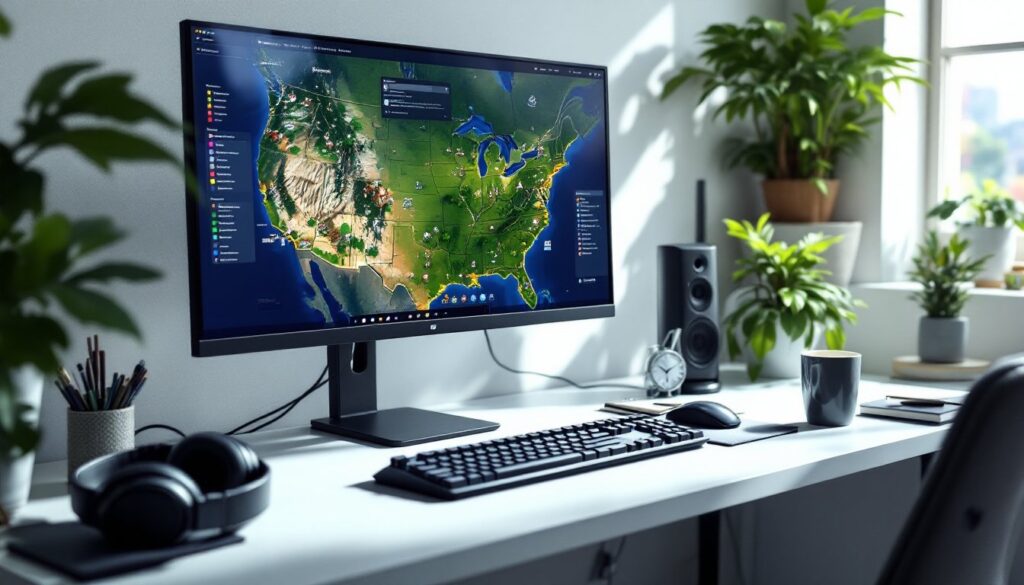
Chunkbase Seed Map is the heavyweight here. Enter your seed and instantly see biomes, structures, spawn chunks, slime chunks, and more overlaid on a zoomable map. It supports multiple Minecraft editions and versions. The interface takes a minute to learn but becomes second nature once you explore it. No install needed, just paste a seed and go.
mcseedmap.net offers similar functionality with a cleaner, more minimal design. If Chunkbase feels overwhelming, this is a solid alternative. It displays biomes and structures efficiently without extra clutter.
Seeds.gg rounds out the trio with pan-and-zoom controls and a dedicated structure finder. It’s lighter-weight and faster to load on older hardware or slower connections.
Seedmap.app brings something different: 3D seed preview. You can spin a 3D model of your world’s terrain before loading it. It’s not essential, but it’s a neat way to visualize elevation changes and landscape flow.
Seeder combines the finder and sharing aspects. Filter by biome preferences, draw a biome layout you want, and let it find seeds matching your sketch. Great for collaborative world planning or sharing discovery links with friends.
All of these run in your browser, no downloads, no hassle. Pick whichever interface clicks with you. Most players bounce between two or three depending on what they’re searching for.
Standalone Applications and Mods
Web-based tools dominate the seed finder space in 2026. Standalone desktop apps are rare, and actively maintained mods for seed finding are limited. The web tools are fast, always up-to-date with the latest versions, and accessible from any device. Unless you need offline access or ultra-specific modded features, the web platforms handle nearly every use case. Check Nexus Mods for community-built tools if you’re running a heavily modded instance and need seed data that aligns with custom terrain generation.
How to Use a Seed Finder Effectively
Start simple: pick a seed finder and paste in a seed you’re curious about. Select your Minecraft edition (Java, Bedrock, or Legacy) and the specific version you’re playing. This matters, terrain generation changed between major patches, so a seed perfect in 1.19 might look different in 1.20.
Toggle only the features you care about. If you’re hunting slime chunks for an XP farm, disable biome visualization and focus on the slime chunk overlay. If you’re scouting for a minecraft builder’s paradise, enable biomes, villages, and temples. Turning off everything you don’t need makes the map cleaner and faster to read.
Filter and search strategically. Most tools let you exclude biomes, maybe you hate deep dark forests, so filter them out. Some let you search by distance: “show me jungle biomes within 500 blocks of spawn.” Use these constraints aggressively. The more specific your filters, the faster you’ll find what you want.
Once you find a promising seed, don’t just hop in-game immediately. Cross-reference it with another tool or two. Load the seed into two different viewers to confirm the structures are where they claim to be. Bugs are rare, but they happen. Five seconds of verification saves frustration later.
Finding Seeds With Specific Biomes and Structures
Seed finders shine when you’re chasing a specific feature or combo. Looking for a woodland mansion near the spawn? Search for it. Want a slime chunk within 100 blocks? Filter and find it. The tools support most major structures and biomes: villages, ocean monuments, strongholds, temples, mansions, slime chunks, nether fortresses, bastions, and biome transitions.
Biome hunting is especially powerful. If you want a lush cave biome next to a deep dark, or a desert next to a jungle, tools like Seeder let you draw your ideal terrain and find seeds that match. This transforms world-building from luck to planning. A minecraft builder can now scout the entire landscape and choose exactly where to set up their base, farm areas, and decorative regions.
Some advanced finders support structure radius searches. You can ask: “Show me all seeds with a village within 300 blocks of spawn and an ocean monument within 600 blocks.” These filters eliminate pointless scrolling and hand you seeds that genuinely fit your needs.
Structure coordinates matter too. Most tools display exact X and Z coordinates for each structure. Copy those into a notepad, load the seed, and speedrun to your destination using F3 (Java) or coordinates (Bedrock). Resources like Game Rant’s Minecraft guides cover speedrunning and structure-hunting strategies if you need tactics beyond the seed finder itself.
Conclusion
A Minecraft seed finder transforms world generation from a gamble into a choice. Whether you’re a casual player or a committed minecraft builder planning elaborate projects, these tools save hours and unlock creativity. Chunkbase, mcseedmap.net, Seeds.gg, Seedmap.app, and Seeder each have their strengths. Pick one, run a quick search for your ideal features, and load the results in-game. The perfect world might be one seed away. For deeper strategies on world-building and base design, Twinfinite’s building guides and community resources like Pitcher Plant Minecraft guides complement your exploration perfectly.